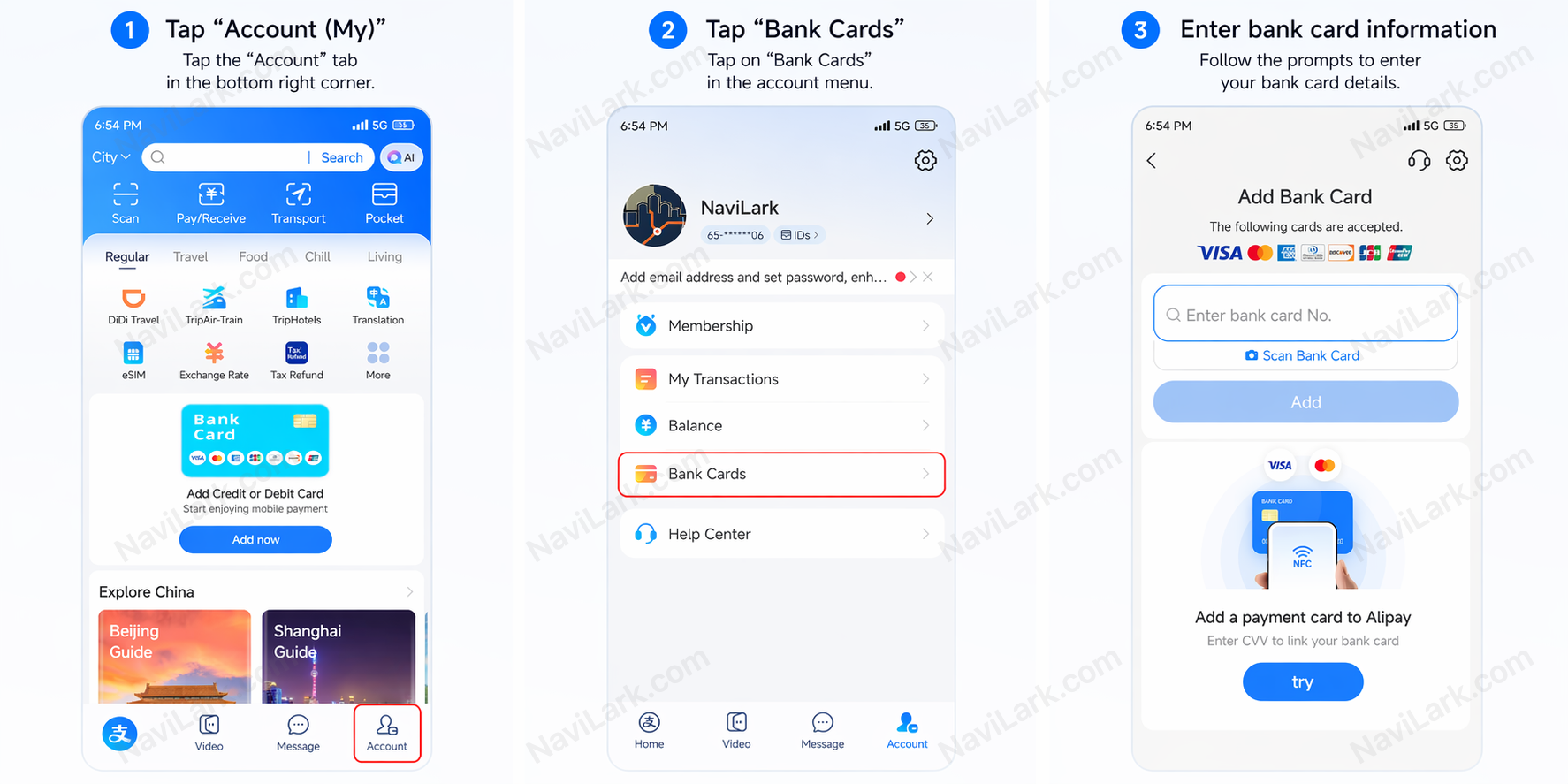
Real-name verification is an optional step. Users who have not completed verification can still link bank cards and use Alipay normally; however, their per-transaction and annual payment limits are lower. Completing verification significantly increases these limits.
What’s the difference between verified and unverified users?
| Type | Verified Users | Unverified Users |
|---|
| Per-Transaction Limit | USD 5,000 | USD 500 |
| Annual Cumulative Limit | USD 50,000 | USD 2,000 |
Fee Schedule (Same for Both)
| Transaction Amount | Fee Rate |
|---|
| ≤ CNY 200 | 0% |
| > CNY 200 | 3% |
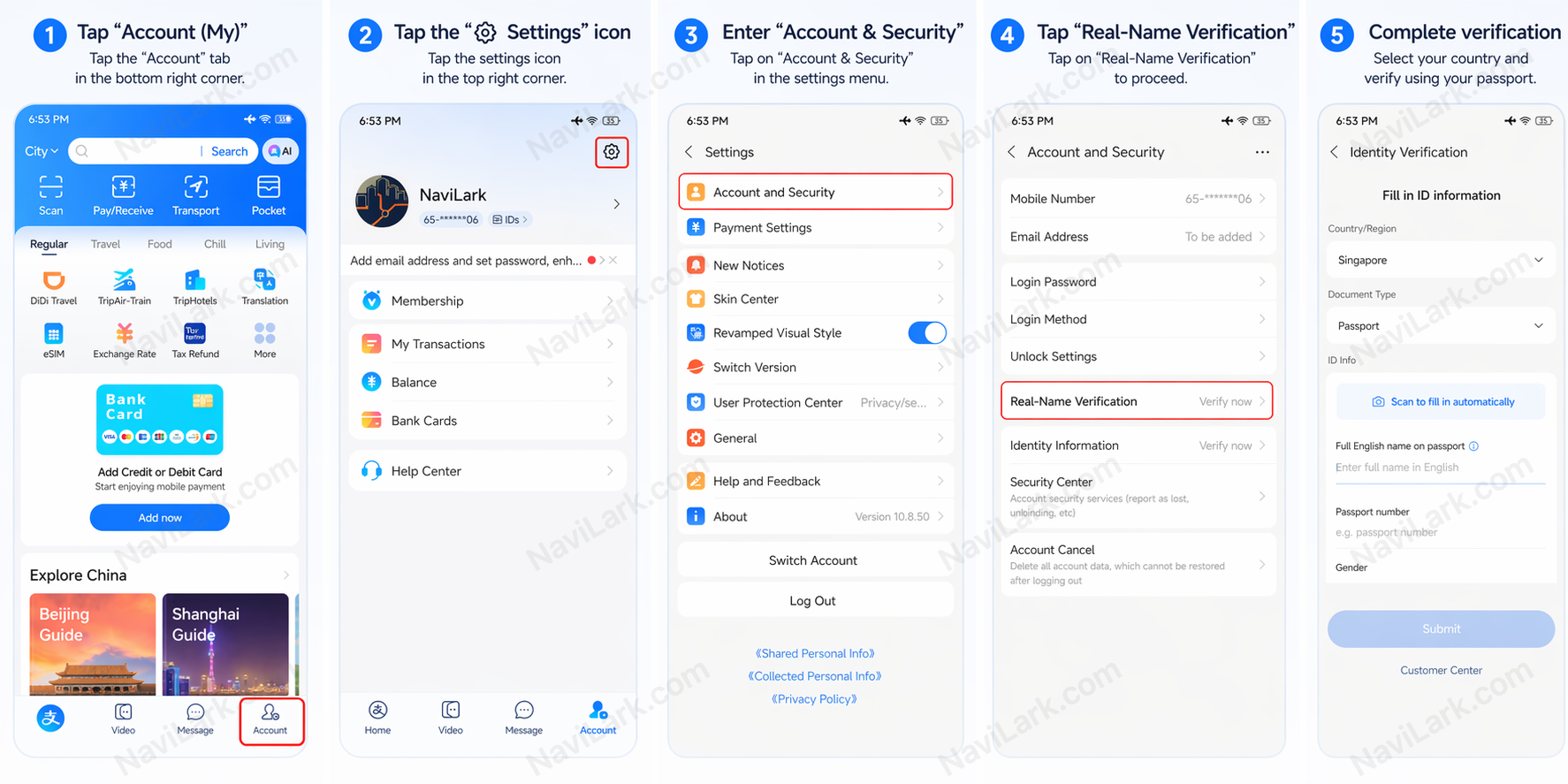
To complete verification, follow these steps:
- Tap "Account" at the bottom of the screen.
- Tap ⚙️ Settings.
- Navigate to "Account & Security".
- Tap "Real-Name Verification".
- Tap "Change Country/Region" in the top-right corner and select your country of nationality.
- Select "Passport" as your ID type.
- Enter your: full name, passport number, expiration date, and date of birth.
- Upload a clear photo of your passport’s data page (the page containing your photo).
- Tap "Submit" and wait for review (typically takes a few minutes to several hours).
After uploading your passport, the system may prompt you to complete face verification. Tap "Verify Face" as instructed, position your face in front of the camera, and follow on-screen prompts to rotate your head or blink. The system will automatically compare your live face with the photo on your passport. Once matched, verification is complete.
Tip: Remove glasses and hats, ensure your face is well-lit, and avoid backlighting.
Passport Photo Tips: Take the photo in natural light, avoid glare and blurriness, and ensure all text is clear and legible.
Common Reasons for Verification Failure: Glare or blurriness in the passport photo, an expired passport, or information entered that does not match the passport.